留一个位置,少一点惦记。A SMALL ANCHOR FOR EVERY JOURNEY.

记得停在哪,安心走回来。Save your spot.Find your car.

用一个停车点、一张照片、一句备注,
记住你回去的方向。泊迹,让找车简单一点。

A saved spot, a photo, a small note.
Everything you need to find your way back.

即将登陆 App Store · 适用于 iPhone · iOS 17 及以上Coming soon to the App Store · iPhone · iOS 17 or later

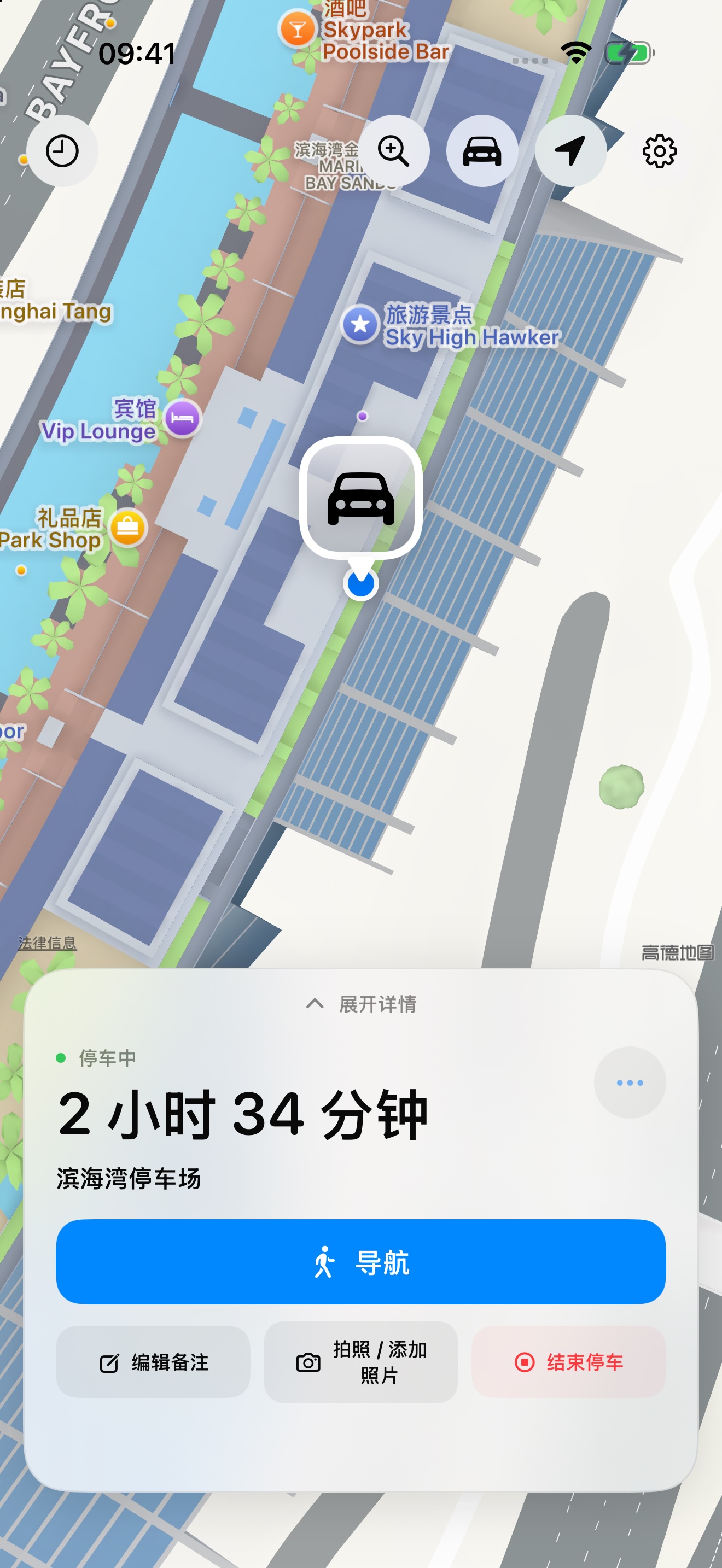
泊迹首页:地图上的停车点、停车时长和步行导航
给回程,留个记号。An anchor for the way back.停车 · 记录 · 找车Park. Save. Return.

应用实际界面 · 公共地点演示记录Actual app interface · Demonstration record at a public location

01 /
停车点,一眼就看到Your spot, at a glance

保存位置,按所选地图步行找车。

Save your location and walk back with your preferred map app.

02 /
细节,比记忆更可靠Remember the small details

照片、楼层、车位和备注,一起记下。

Keep photos, a floor, a space number, and a note.

03 /
停车记录,留在设备上Your records stay on your device

无需账号,没有广告或第三方统计 SDK。

No account, advertising, or third-party analytics SDK.

从停下,到再出发FROM PARKING TO THE NEXT JOURNEY

记住位置,
也记住那些小细节。
The location.
And the details around it.

在陌生的商场、大一点的车库,或是忙碌的一天里,把找车这件小事交给一个清楚的记录。

An unfamiliar mall, a sprawling garage, a busy day. A clear record makes the way back easier.

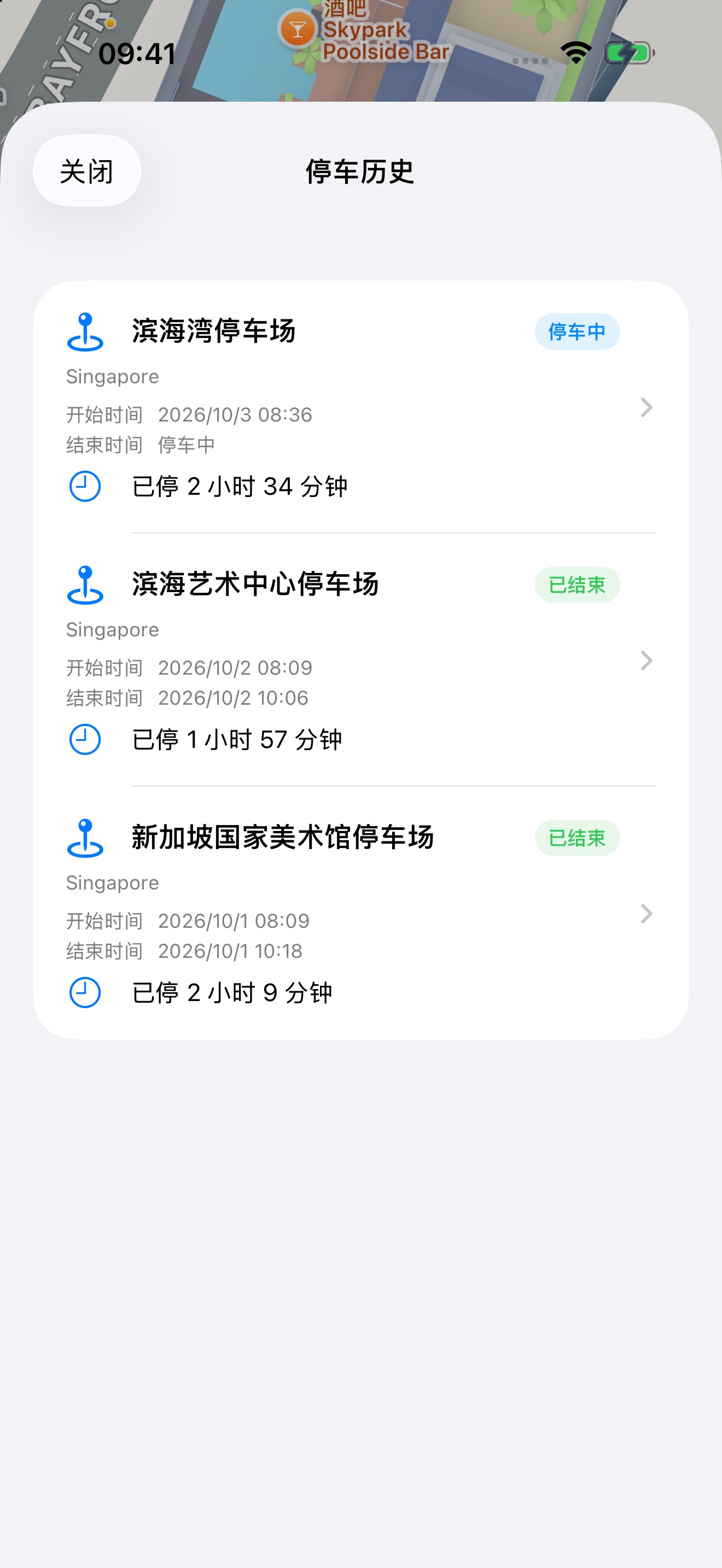
泊迹停车历史:停车状态、时间与历史地点

停车历史 / 每次停靠,有迹可循PARKING HISTORY / EVERY STOP, REMEMBERED

这一站停了多久,
上一站又停在哪。
Where you stopped.
How long you stayed.

查看停车开始与结束时间、持续时长和停车状态。回看曾经的地点,也能随时整理和删除记录。

Review parking start and end times, duration, and status. Revisit your saved locations, and remove records whenever you choose.

  • 地图上的停车点与步行导航A saved pin and walking directions
  • 停车时长与完整历史Parking duration and history
  • 主屏幕与锁屏小组件Home Screen and Lock Screen widgets
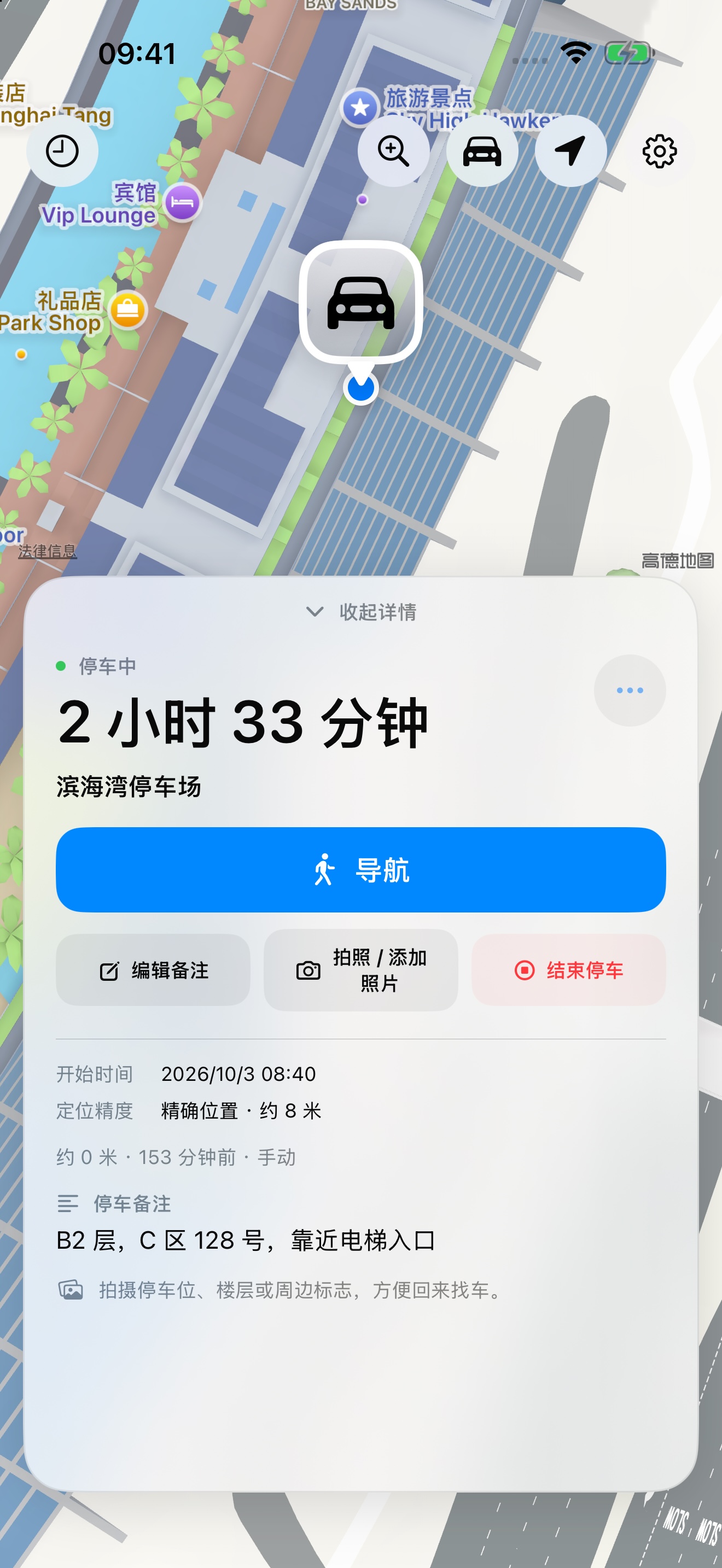
泊迹停车详情:楼层、车位与备注

照片与备注 / 把细节留下PHOTOS & NOTES / KEEP THE CONTEXT

B2,A128,
靠近那部电梯。
B2. A128.
Near that elevator.

给停车点补一张照片,记下楼层、车位编号或身边的标志。地下和室内 GPS 未必准确,细节能帮你走完最后一段路。

Add a photo, floor, space number, or nearby landmark. GPS can be limited underground and indoors; those details help with the last stretch.

  • 拍照或通过系统选择器添加照片Take a photo or use the system photo picker
  • 楼层、车位编号与自由备注Floor, space number, and personal notes
  • 控制中心快捷记录与找车(iOS 18+)Control Center recording and navigation (iOS 18+)

快捷指令自动化SHORTCUTS AUTOMATION

连接时出发,
断开时留下停车点。
Connect to leave.
Disconnect to save your spot.

在系统快捷指令中配置 CarPlay 自动化,让泊迹在连接时结束停车,在断开时尝试后台记录。蓝牙连接可使用同一个车辆操作。

Configure CarPlay personal automations in Shortcuts to finish parking on connection and attempt background recording on disconnection. Bluetooth connection can use the same vehicle action.

查看配置步骤View setup instructions
01

车辆已连接Vehicle Connected

结束当前停车,将车辆状态更新为已连接。

Finish the current parking session and mark the vehicle as connected.

02

后台记录停车位置Record Parking in Background

将车辆状态更新为已断开,尝试取得位置并保存停车点。

Mark the vehicle as disconnected, then attempt to acquire and save your parking location.

自动化需手动配置;后台记录需要“始终”定位权限。iOS 26 蓝牙仅支持连接触发,实际执行受系统调度与车辆连接方式影响。

Automations require manual setup. Background recording needs Always location access. In iOS 26, Bluetooth supports connection triggers only. Execution depends on iOS scheduling and vehicle connectivity.

简单使用,清楚知道SIMPLE TO USE. CLEAR ABOUT YOUR DATA.

属于你的停车记录。Your parking records.
On your device.

泊迹无需注册账号。停车记录、照片和备注保存在设备上,你可以在应用中删除。地图展示、地址查询与地点搜索使用 Apple 系统服务;导航由你选择的地图软件提供。

Parking Anchor requires no account. Parking records, photos, and notes stay on your device and can be deleted in the app. Maps, address lookup, and place search use Apple system services. Navigation is provided by the map app you choose.

阅读完整隐私政策Read the full privacy policy